vl66 App for Android Download the 28 MB APK and Sign In
One file, 28 MB, no store account and no waiting for approval. Save vl66.apk, allow installs from your browser once, then log in to the same wallet, the same 5,700 games and the same 32 minute withdrawal queue you already use on the website.
Reading this on a phone? The QR code in the download panel below opens the same APK link, so you can skip typing the address.
18+ · Play Responsibly
On this page
The File, the Build and the Phone It Lands On
Everything below is the current build we hand out from this domain. Check the numbers before you tap install, because a forwarded APK with the same icon can carry a different file inside.
- Every game in one place: slots, live tables, crash rounds, fish shooters and cricket markets share the lobby with your wallet.
- A small 28 MB download that finishes on a patchy mobile connection inside Dhaka or outside it.
- bKash and Nagad open inside the app, so a deposit takes about 3 minutes from tap to balance.
- Updates arrive as a new APK notice in the app. No Google account, no store review queue.
| Version | 3.9.16 |
|---|---|
| File | vl66.apk |
| File size | 28 MB |
| Android minimum | 8.0 or newer. The build uses security and graphics libraries that arrived with that release. |
| Last updated | 10 November 2026 |
| Price | Free. No subscription, no store account, no in-app purchase to open the lobby. |
| Languages | English and Bangla interface, with BDT shown as ৳ everywhere. |
| Games inside | 5,700 titles from PG Soft, Pragmatic Play, CQ9, Red Tiger and FA Chai. |
| Payments | bKash, Nagad, Rocket, Upay, Bank Transfer. |
| Support | 24/7 Live Chat, opened from the menu inside the app. |
File sizes vary by a few kilobytes between builds. If the download reports anything far from 28 MB, the transfer did not finish.
App or Browser Tab: What Actually Changes
The app and the website share one wallet, one bonus balance and one set of odds. What changes is how many taps sit between you and a bet. Here is the honest split, including the two places where the browser still wins.
| What you are doing | Inside the vl66 app | In a mobile browser |
|---|---|---|
| Opening the lobby | Launches straight into the games grid. No address bar, no cookie notice to dismiss. | Loads the homepage first, so you scroll past the banner and tap through to the lobby. |
| Signing in | Stays signed in between sessions until you log out. | You retype the username and password once the browser clears its cache. |
| Depositing | bKash, Nagad, Rocket, Upay or a bank transfer opens inside the app; money usually lands in about 3 minutes. | Same 3 minutes, but the wallet opens in a second tab that some phones close when memory runs low. |
| Following a cricket match | Cricket and football markets sit in a thumb-sized grid, and your open bets stay on screen while you browse. | Odds tables need pinch and zoom, and the page reloads when you switch apps. |
| Catching a promotion | A notification when a reload bonus or a fresh crash round goes live, if you allow notifications. | You only see promotions on your next visit. |
| Storage and updates | Uses 28 MB of storage and updates only when you accept the new APK. | Nothing installed, but every visit downloads the page from scratch. |
| Withdrawing | Cash-out request, the 32 minute processing target and your KYC upload in the same screen. | Same limits, though attaching ID photos is clumsy on older browsers. |
Both doors use the same account. Opening them on two phones at once while a round is live is the one thing to avoid.
Play From the Bus Seat, Not Just the Desk
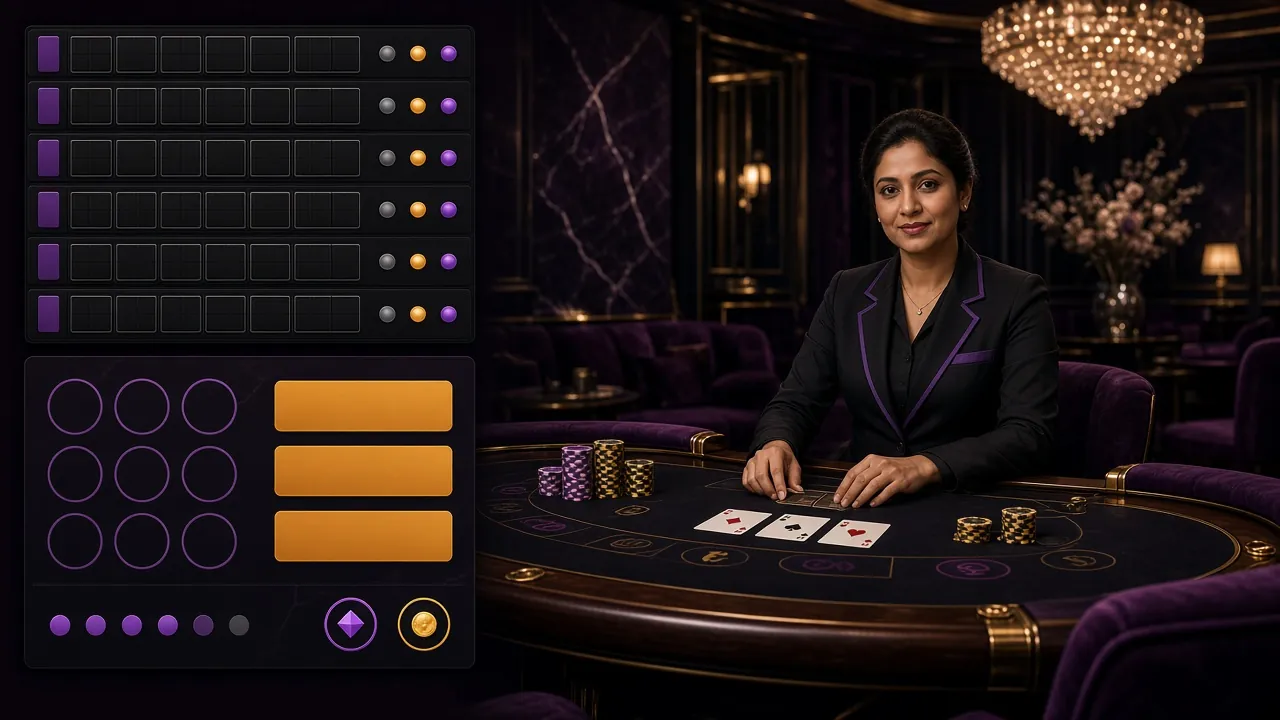
The floor behind the icon is the same 5,700-title room you see on desktop: reels from PG Soft and Pragmatic Play, live blackjack and baccarat, crash rounds, cricket and football markets, fish shooters and lottery draws. Two of the current favourites sit below.


- Slots and fishingPG Soft, Pragmatic Play, CQ9, Red Tiger and FA Chai titles, with spins from ৳1 on games like Ludo Quick and Captain Fisher.
- Live casinoBlackjack, baccarat and roulette dealt on screen. European Blackjack opens at ৳10 a hand.
- Crash roundsRounds that climb and burst in seconds. The Aviator and crash games guide explains cashing out before the curve breaks.
- Cricket and footballBPL nights, international fixtures and European league kickoffs, all inside the same account.
Six Things the App Handles While the Browser Waits
The install is small, so the useful parts are inside the screens rather than the file size. These are the jobs you will do most often, and how the app shortens each one.
Wallet top-up in three taps
The wallet screen remembers your last method, so bKash, Nagad, Rocket, Upay or a bank transfer is a couple of taps away. Most deposits land in about 3 minutes, and the balance updates without a refresh.
Cricket markets that fit a thumb
Back a Bangladesh innings or a BPL night match from the same account you use for slots. Odds sit in a compact grid, and your open bets stay listed beside the match instead of on another tab.
Crash rounds and cash-out timing
The multiplier climbs while you decide. Set the auto cash-out before the round starts, then watch it land. Results stay in your history, so you can see whether your own exit point is realistic.
Live tables without a queue
Blackjack, baccarat and roulette open straight from the lobby. Minimum stakes start at ৳10 a hand, so a table session costs less than a round of slots if you prefer watching cards to chasing reels.
Bonus progress you can read
The 155% first deposit bonus, the 20% reload and your 1.5% daily cashback sit on one screen, with the 6x wagering requirement counted down as you play instead of hiding in a terms page.
Withdrawals with the clock running
Request a cash-out up to ৳65,000 a day and watch the 32 minute target. Upload your NID, passport or driving licence from the same screen, with review inside 24 hours before your first payout.
Permissions, Safety and What We Never Ask For
An APK asks for permissions during install, and a fake copy asks for more than it needs. Here is exactly what this build touches, and the four requests that should make you stop.
-
Storage, and notifications if you agree
The file needs space to save itself and to cache game art so reels do not reload. Notification permission is optional: approve it for bonus and crash round alerts, or deny it and play on with no change to the lobby.
-
No messages, contacts or call logs
Nothing in this install reads your SMS, contact list or phone state. If a download page asks for those to "verify" you, it is not ours. Type vl66.site into the address bar yourself rather than trusting a forwarded link.
-
Money stays with the wallet you picked
Deposits run through bKash, Nagad, Rocket, Upay or bank transfer, and your wallet PIN is entered on the wallet's own screen. No member of staff will ask for that PIN, an OTP or a screenshot of your balance on chat.
-
HTTPS, KYC and one honest account
Traffic is encrypted, withdrawals require a name matching your NID, passport or driving licence, and support answers only through the in-app 24/7 Live Chat. One person, one account: duplicate logins can freeze a payout.
Five Steps From Download to First Spin
You need the phone, a browser and about five minutes. Do the steps in order: skipping the first one is why most installs fail with a blank "app not installed" message.
-
1
Allow installs from your browser
Open Settings, then Security, then Install unknown apps. Pick the browser you will download with and switch the toggle on. Android 8.0 and newer sets this per app, so Chrome and Firefox are allowed separately.
-
2
Download vl66.apk
Tap the Download APK button on this page. The 28 MB file saves to your Downloads folder, usually in under a minute. Confirm afterwards that the file reads 28 MB, not a few hundred kilobytes from a dropped connection.
-
3
Run the installer
Open the file from the download notification or your Files app. Play Protect may scan and warn you; continue only when the file name is vl66.apk and the version reads 3.9.16. Then choose Install and wait for the finish prompt.
-
4
Sign in or register
Use your existing details on the vl66 login page, or open registration and set a username, password and mobile number. One account covers both the app and the website, so nothing is duplicated.
-
5
Deposit and set a limit
Open the wallet, pick bKash or Nagad, and deposit at least ৳150. The 155% first deposit bonus applies up to ৳24,000 with 6x wagering. Set a daily spending limit before your first bet, not after it.
iPhone and iPad: add vl66 to the home screen
Apple does not install APK files, so the app build stays Android only. On iOS you get the same account through a home screen shortcut that opens full screen without browser bars.
- Open Safari and go to vl66.site. Chrome and other browsers cannot add a shortcut on iOS.
- Tap the Share button, the square with an arrow pointing up.
- Scroll the share sheet and tap Add to Home Screen, then name the icon vl66 and save.
- Open it from the home screen, log in once, and it behaves like an app until Safari clears its data.
When the Install Refuses to Cooperate
Almost every failed install comes down to one of five causes. Match what you see on screen with the middle column, then follow the fix rather than reinstalling blindly.
| What you see | Why it happens | What to do |
|---|---|---|
| Parse error | The APK arrived incomplete, usually on a mobile connection that dropped mid-transfer. | Delete the file, clear the browser cache, then download again from this page. A complete file reads 28 MB before you tap it. |
| Blocked by Play Protect | The scanner treats any file outside the Play Store as unfamiliar and warns you by default. | Tap More details, then Install anyway. If the warning repeats, check the version shows 3.9.16 and the source was this domain. |
| "Install unknown apps" is greyed out | The permission is tied to the browser that is downloading, and another app holds the download. | Download with the browser you already allowed, or open Settings and grant the permission to whichever app is saving the file. |
| The app opens then closes | The phone runs Android below 8.0, or free memory is too low for the lobby to draw. | Check Settings, then About phone for the Android version. Below 8.0, use the website on the same account; no install is needed. |
| The bKash page will not load in-app | The wallet sometimes blocks embedded browser windows during a payment. | Copy the payment reference, finish the deposit in the bKash app, then return to vl66. The balance appears in both places. |
Still stuck? Open 24/7 Live Chat from the website menu and send the exact wording of the error plus your Android version.
Answers Before You Tap Install
The seven questions that come up most often, answered the same way support would answer them.
Is the APK on this page safe to install?
The file comes from vl66.site, the same domain you log in on, and the build is signed. Before installing, check that the name reads vl66.apk, the size is 28 MB and the version is 3.9.16. Skip any APK sent through a Facebook group or a Telegram forward, even if the icon looks identical.
Can I install this on an iPhone?
No. Apple does not install APK files, so the vl66 app is Android only. On an iPhone or iPad, open vl66.site in Safari, tap Share, then Add to Home Screen. You get a full screen icon that opens the same account, wallet and games without the 28 MB download.
How do updates reach my phone after the first install?
There is no store pushing them. When a new build is ready, the app shows an update notice and points back to this page. Download the fresh APK over the old one and your login, balance and bonus progress stay exactly as they were. Do not uninstall the old build first.
Will my balance and bonus follow me between app and browser?
Yes. The app and the website are two doors into one account. A deposit made in the app shows in the browser wallet straight away, and wagering completed in either counts toward the same 6x requirement. Just avoid running both on the same login while a round is still open.
Why does the vl66 app need Android 8.0 or newer?
The build relies on security and graphics libraries that arrived with Android 8.0. On older phones the installer either refuses the file or the lobby closes after the splash screen. Check Settings, then About phone for your version. Below 8.0, the website runs on the same account with no install.
The download stopped halfway. What now?
Delete the partial file first, because Android will not overwrite it cleanly. Clear the browser cache, move to Wi-Fi if you can, then download again from this page. A finished file reads exactly 28 MB. Anything smaller is incomplete and will fail with a parse error during install.
I registered in a browser yesterday. Do I still get the 155% bonus in the app?
Yes, as long as you have not already claimed a first deposit bonus. The 155% offer applies to your first deposit up to ৳24,000 whichever door you use, and it carries 6x wagering. Install the app, log in with the same details, then deposit from the app wallet.
Install Once, Play From Anywhere
28 MB, five minutes and one login stand between you and the full lobby. Keep the file on your phone and the next update takes a single tap, with no store account in the way.